Brilliant is a flexible tool — it can be used as a full curriculum, or as a supplement to an existing math lesson. This guide focuses on using Brilliant as a supplement: a short, interactive task before, during, or after teacher-led instruction. Teachers can use it to introduce an idea visually, let students investigate a concept, check understanding, or reinforce a topic through independent practice.
This guide explains three practical ways to use Brilliant in a math class: as a warm-up before instruction, an investigation during instruction, or review and enrichment after instruction.
Use Brilliant without redesigning your lesson plan
Brilliant organizes content into three general units: lessons, levels, and courses. You can choose whichever fits with what and how you are already teaching.
- Lesson: usually 5–10 minutes each. A typical lesson includes a short sequence of interactive problems and a Skills Check (practice problems) at the end.
- Level: a group of related lessons, capped with a 10–15 problem review that revisits the core ideas from that level.
- Course: a longer sequence of levels that can support a unit, semester, or longer independent path.
For example, in the Solving Equations course, a typical lesson has about 5 interactive problems plus a 3-problem skill check. A typical level has about 6 lessons plus a level review. The full course has 13 levels.
This structure lets teachers assign a full lesson, a level, or a course, or share or project a single problem or part of a lesson, depending on what they need to best support their curriculum plan.
When to use Brilliant in your math class
Brilliant is a strong fit when students need to reason through a concept rather than only listen to an explanation or watch a video. It works best as a supplement to teacher-led instruction: you choose the objective, assign or share a related Brilliant lesson or level, then invite students to explore at their own pace and lead an optional discussion afterward.
| If students need to… | Classroom use | Brilliant activity to choose |
|---|---|---|
| Notice a pattern before you explain it | A warm-up or hook | One problem or a lesson opening; pause for "what do you notice?" |
| Explore a concept with a visual model | A guided investigation | One full lesson, or part of a level for a longer investigation |
| Compare solution strategies | Pair work or class discussion | One problem or lesson section with multiple possible approaches |
| Practice after direct instruction | Independent reinforcement | One lesson tied to today's objective, or part of a level for extra practice |
| Keep working while you support another group | A station or small-group task | One lesson or part of a level students can complete independently |
| Go deeper after finishing early | An extension activity | The next lesson, next level, or part of a related course |
Brilliant has Common Core math mapping from grade 4 through high school. Teachers who need a standards match can use the mapping, or search by standard in the Lessons tab, to find a related lesson or see if no direct Brilliant lesson exists.
How Brilliant fits into a class period
1. Before instruction, as warm-up or hook
Use Brilliant at the start of class when you want students to interact with a concrete example, model, or question before formal instruction. The goal is not to finish a large assignment; it is to get students thinking deeply about the relevant topic of the day right at the start of class.
Best fit: One lesson or the first few lessons in a level as a "Do-Now" at the start of class.
Teacher prep: Preview the activity, choose a stopping point, and plan one open-ended question that connects the activity to the day's objective.
Student task: Work for 5–10 minutes, then share one pattern, question, or mistake within a pair or during brief class discussion.
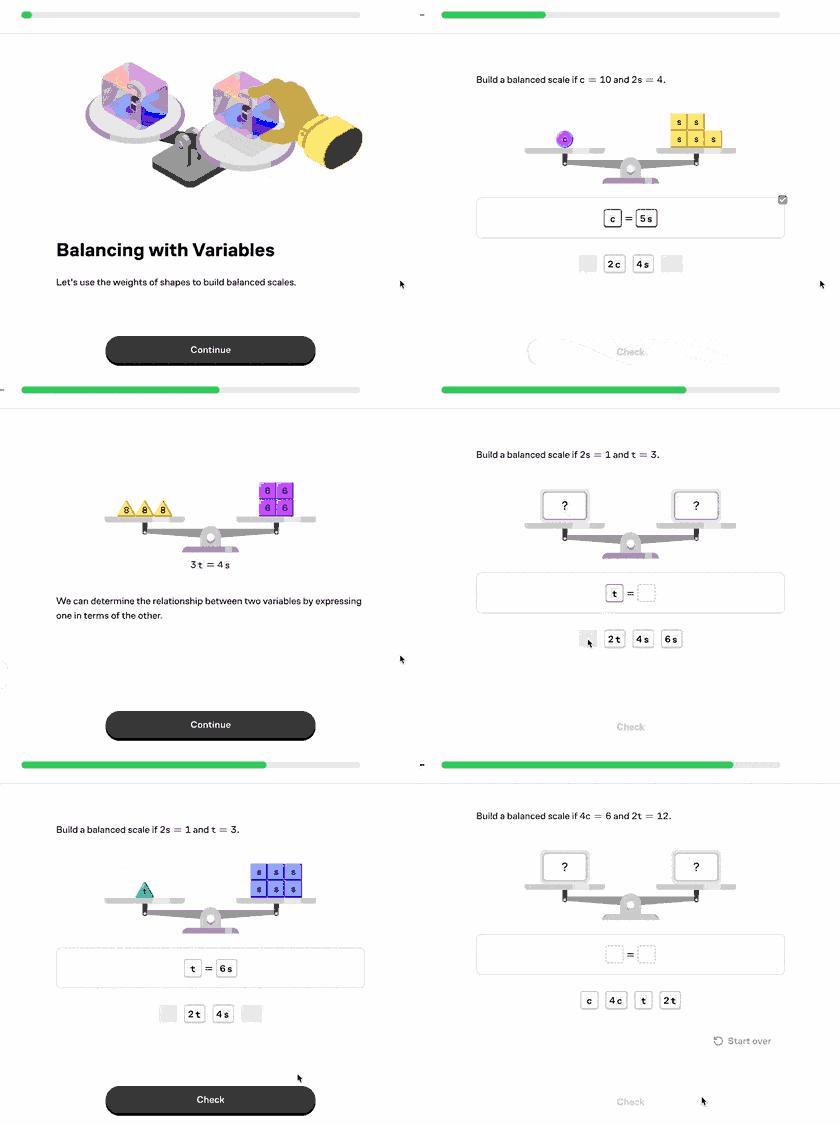
Example: balanced scales before solving equations
A teacher introducing equations might share a lesson that uses balanced scales to make equality tangible before moving into variables and algebraic notation.
Time estimate: 5–10 minutes for student work plus 3–5 minutes for discussion.
- Before class: Preview the lesson by doing the first few interactive problems that show a balanced scale changing on both sides.
- During the warm-up: Ask students to work individually or in pairs. Students should predict what will keep the scale balanced before submitting each answer.
- Whole-class debrief: Project one problem and ask students to explain what changed, what stayed equal, and why the same operation had to happen on both sides.
- Connection to instruction: Translate the visual action into equation language, such as "subtracting the same amount from both sides" or "keeping both sides equal."
What teachers are saying:
"I use Brilliant as a warm-up activity. Students get engaged quickly because lessons are short and interactive, and the gamified nature helps motivate them to keep practicing." — 6th & 7th grade math teacher
"We use Brilliant as a warmup almost every day. Then I have students point out that they 'already learned this on Brilliant' when going through the rest of class." — 9–10th grade math and engineering teacher
2. During instruction, as an investigation, demo, or station activity
Brilliant can support the main learning block when students need to dig deeper into a core concept and gain a new perspective. In practice, this can look like a teacher projecting one interactive problem on the board for discussion, assigning students to work through lessons at their own pace, pairing students to compare strategies, or using Brilliant as one rotation in a station model while the teacher works with a small group.
Best fit: A full lesson or a selected sequence from a level when students need to explore a concept in more depth.
Teacher prep: Choose the use case first, then choose the Brilliant activity that fits it. For a projected demo, preview one interactive problem and plan where to pause for predictions. For pair work, choose a problem with more than one reasonable strategy. For a station or independent block, choose a lesson or level segment students can complete with minimal teacher support, and plan one checkpoint or discussion prompt.
Student task: Work through the activity at an appropriate pace, use hints or explanations when needed, and be ready to share one strategy, question, or point of confusion.
How this can look in class:
- Projected demo: The teacher projects one interactive problem, pauses before submitting an answer, and asks students to predict what will happen or explain which step they would try next.
- Independent work block: Students work through a lesson or level at their own pace while the teacher circulates, checks progress, or helps individual students.
- Pair investigation: Students work through part of a lesson in pairs, then compare two solution paths or identify where their reasoning changed.
- Station rotation: One group works through a Brilliant course while the teacher pulls another group for targeted support.
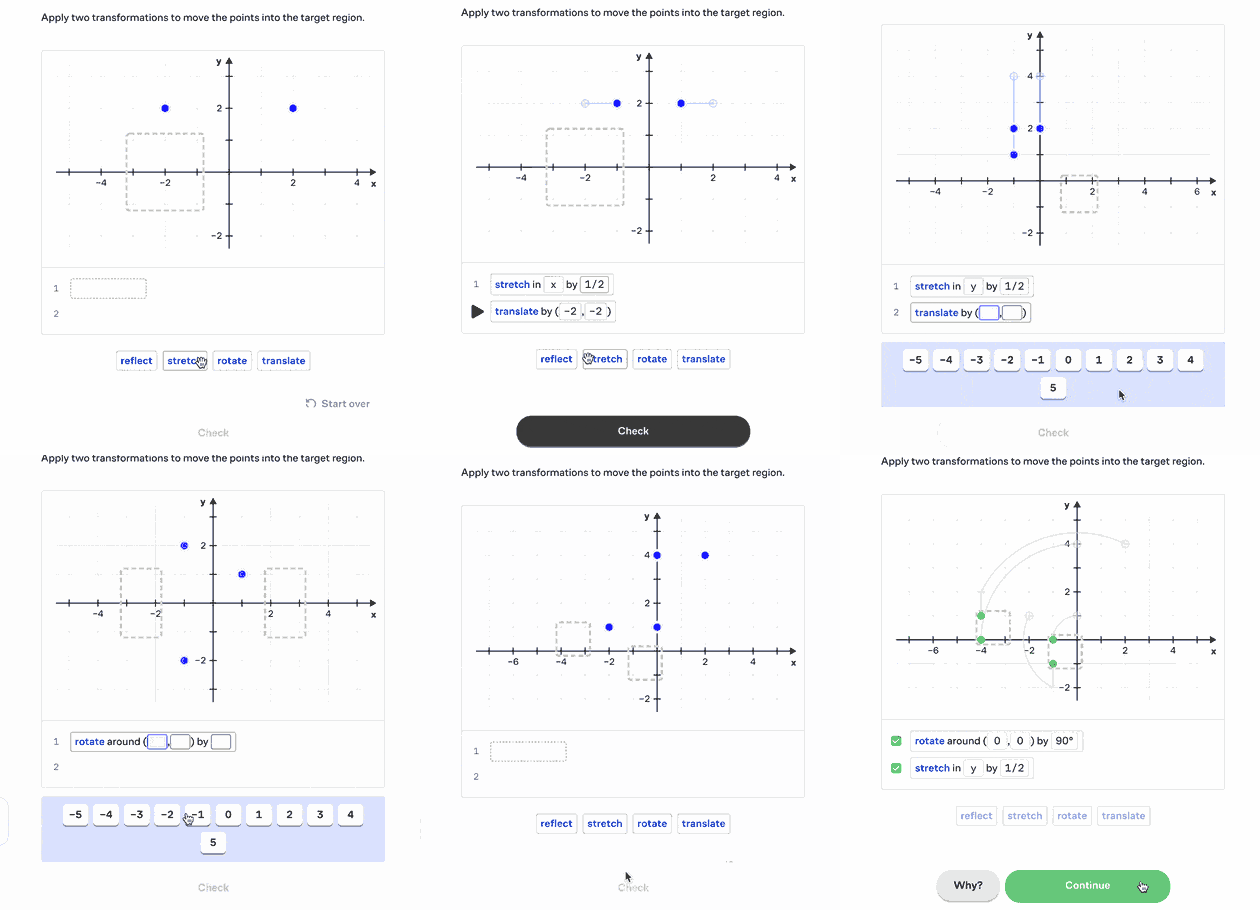
Example: comparing strategies with coordinate transformations
Many Brilliant problems have several reasonable solution paths. For example, in a lesson on coordinate transformations, students might find different sequences, such as a reflection then a rotation or a rotation then a translation, that map one shape onto another. Pairs can compare their sequences and explain why a different ordering of steps can lead to the same result.
What teachers are saying:
"When students continue to struggle with a concept, I use Brilliant to reintroduce the material in a fresh and engaging format. In one instance, students grasped slope in 40 minutes using Brilliant after I had spent nearly two months trying to teach it." — K–12 mathematics teacher
"Brilliant is incredible at visually representing novel ideas, in order to form foundational understanding in students. It is my go-to when a whiteboard explanation is not powerful enough!" — High school math teacher
3. After instruction, as review, extension, or enrichment
Use Brilliant after teaching a topic for the first time, when students need a review or are ready to apply and connect the idea to another concept. Brilliant as review or extension is most common when students work independently, either as an option for early finishers ready for a deeper challenge or while a teacher is checking in with individuals or small groups on other tasks.
Best fit: A lesson used for review when students need independent reinforcement with guided feedback and explanations.
Also works: Use a related lesson when students need another representation of the idea. Choose a level check when students need to revisit what they understood. For early finishers, assign an adjacent lesson that extends the topic.
Teacher move: Ask them to practice the day's strategy, find a problem with multiple solution paths, or choose one explanation that was especially helpful and give reasons why.
Student task: Work independently and use hints or explanations when stuck.
Example: extending percent thinking into data displays
For example, a student who finishes core work learning and practicing Percents might move on to Exploring Data Visually to reuse and apply the same percent thinking to pie charts, percentiles, and other data displays in a new way.

What teachers are saying:
"I incorporate Brilliant as a flexible tool for both enrichment and reinforcement. It helps reinforce core concepts and encourages student curiosity to explore topics outside our curriculum, fostering independent learning and confidence." — Algebra 1 teacher
"I use Brilliant with 70+ students in Pre-Algebra and Algebra. Mainly as an extension assignment the day after a quiz. I really love the content and structure. It gets away from 'process' and into why and how concepts are connected." — Pre-Algebra and Algebra teacher
What Brilliant adds beyond a worksheet or video
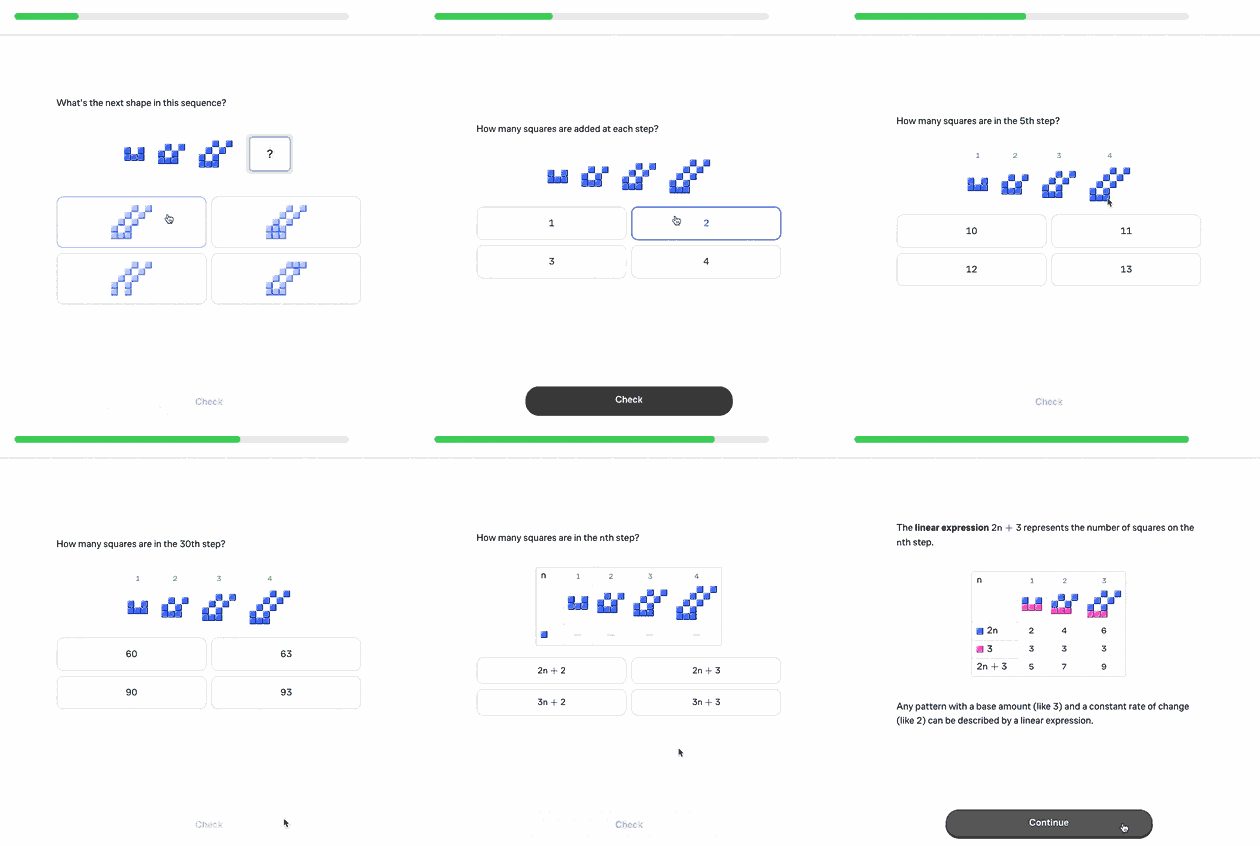
A textbook, worksheet, or video usually explains an idea or shows a method, then asks students to apply it. That can feel abstract. Brilliant presents material interactively to help promote trial and error and deepen conceptual understanding.
| In a typical math lesson | With Brilliant |
|---|---|
| Students see an equation written symbolically | Students use a visual model before translating the idea into symbols |
| Students are told a rule or procedure | Students test examples and notice why the rule works |
| Students practice one standard method | Students compare multiple solution paths and explain why each one works |
| Students complete independent practice | Students get interactive problems with feedback, hints, and explanations that help them keep working without waiting for the teacher on every step |
| Students finish early | Students can explore a connected extension without the teacher preparing a separate activity |
Questions teachers often ask
Can Brilliant replace my math lesson?
Sometimes, for the right kind of lesson. If the goal is for students to apply a concept in an interactive, engaging way, or if the block is open exploration for students to follow their own curiosity, Brilliant can carry most or all of the lesson. It is self-paced and scaffolded with built-in hints, so students can work through it with very little from you.
Can teachers use Brilliant during a regular math class?
Yes. Teachers can use Brilliant during a regular math class as a 5–10 minute warm-up, a guided investigation, a station activity, independent practice, review, or enrichment. It works best when students need to explore a concept visually or test an idea themselves before or after teacher-led instruction.
How long should students spend on Brilliant during class?
A first classroom use can run as little as five to ten minutes. Longer blocks work when the activity is the main investigation, students are working in pairs or stations, or the goal is independent reinforcement after instruction.
What should I choose: a lesson, a level, or something else?
For a warm-up, use one lesson. For the middle of class, use a fuller lesson or several lessons from one level. For reinforcement, use a lesson or full level review related to the current class focus.
Teacher quotes in this article come from Brilliant for Educators testimonials shared with permission. Lessons linked in this article are examples — teachers can search Brilliant by topic or standard to find a lesson that matches the concept they are teaching.